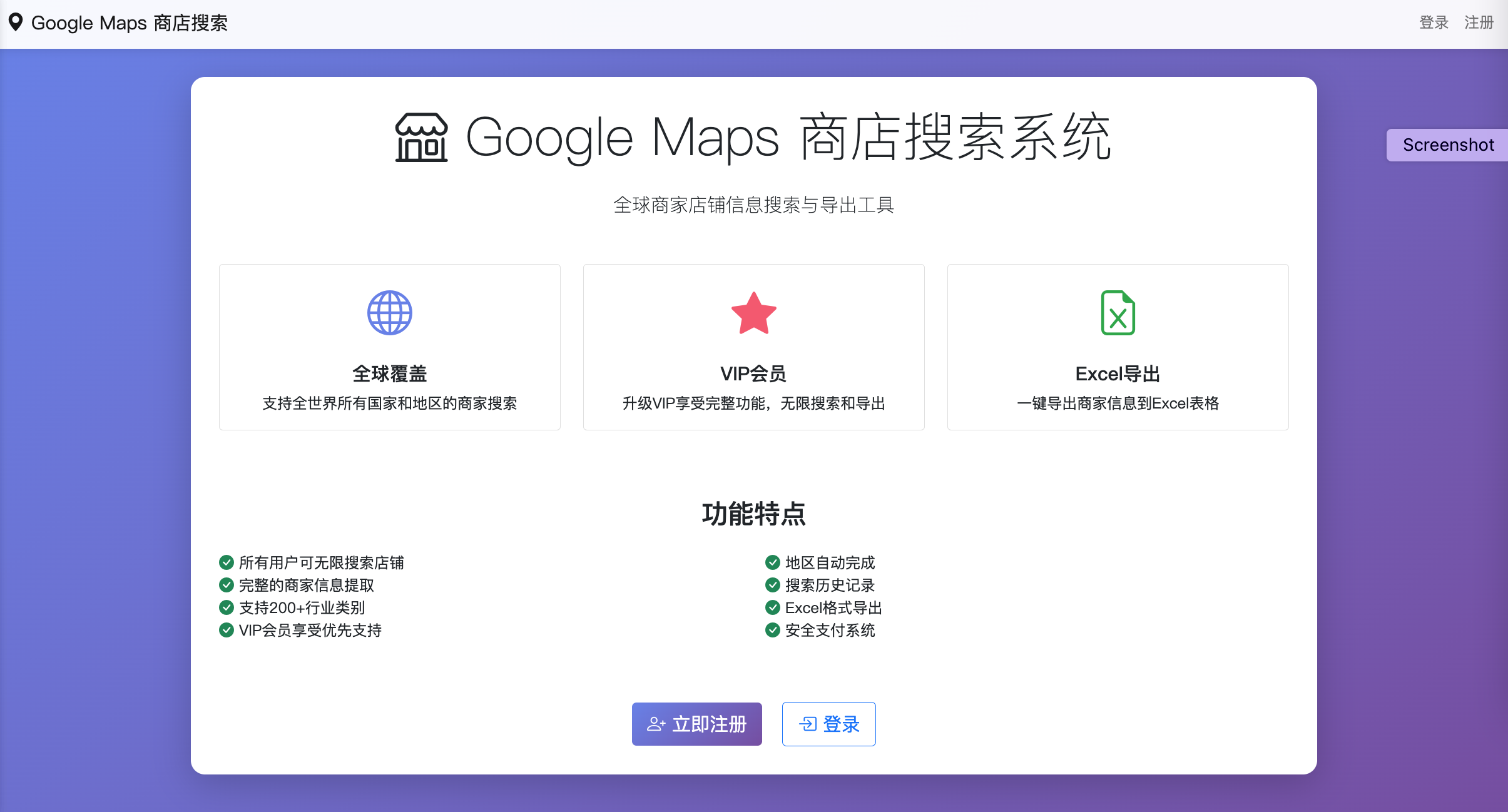
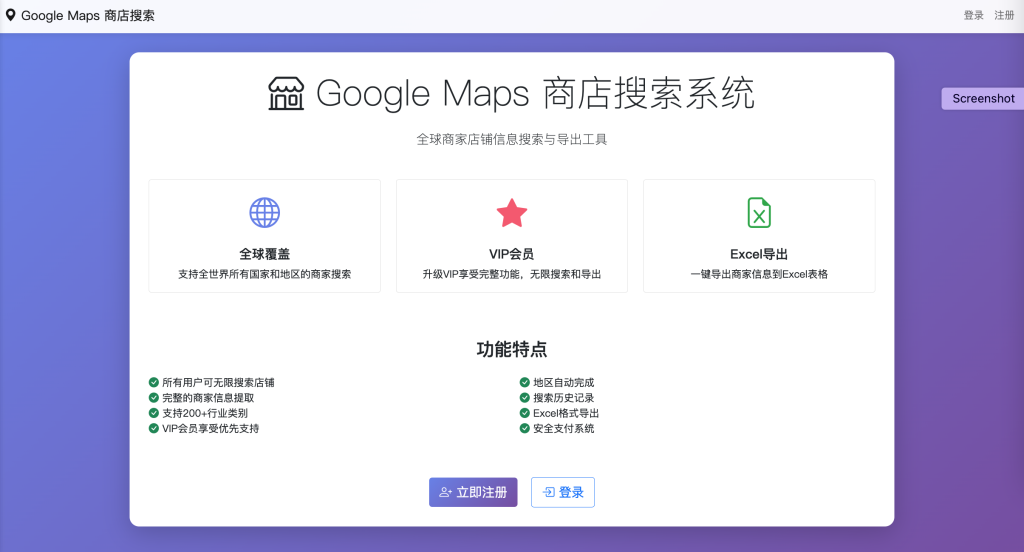
Google Maps Store Search Web Version – Feature Details
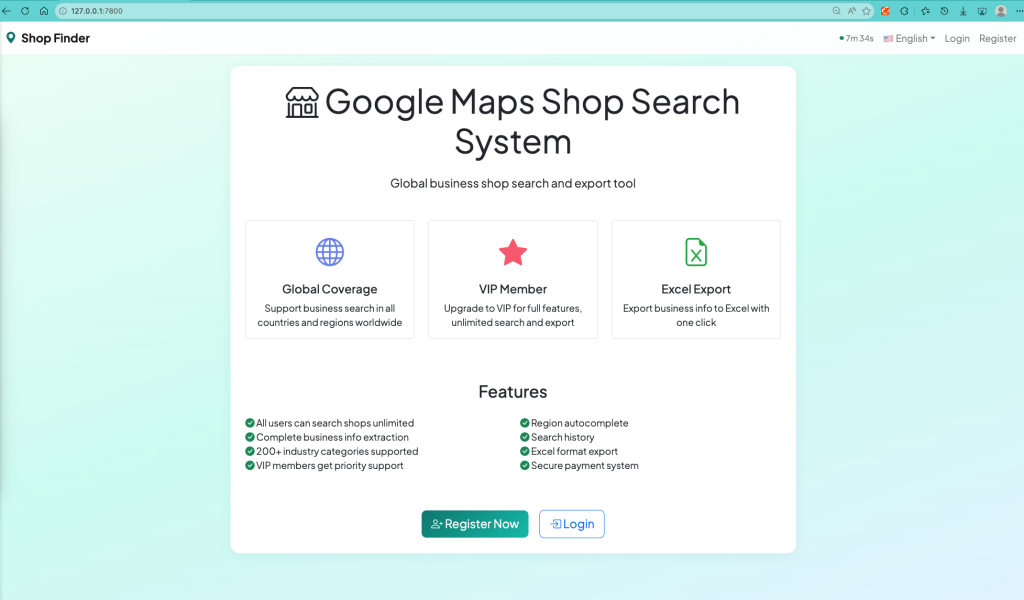
该基于 Flask 开发的 Web 应用是一款面向个人 / 企业用户的 Google Maps 商家信息检索工具,核心围绕 “精准获取商家全维度信息” 展开,结合用户权限管理、多格式导出、操作溯源等实用能力,满足不同场景下的商家信息查询需求。
一、用户账户管理体系
1. 基础账户功能(注册 / 登录)
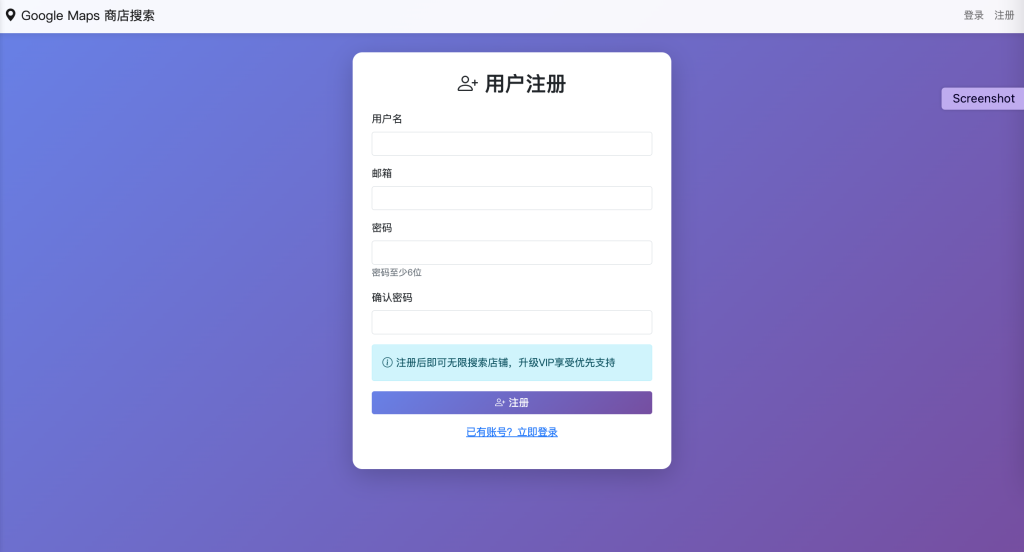
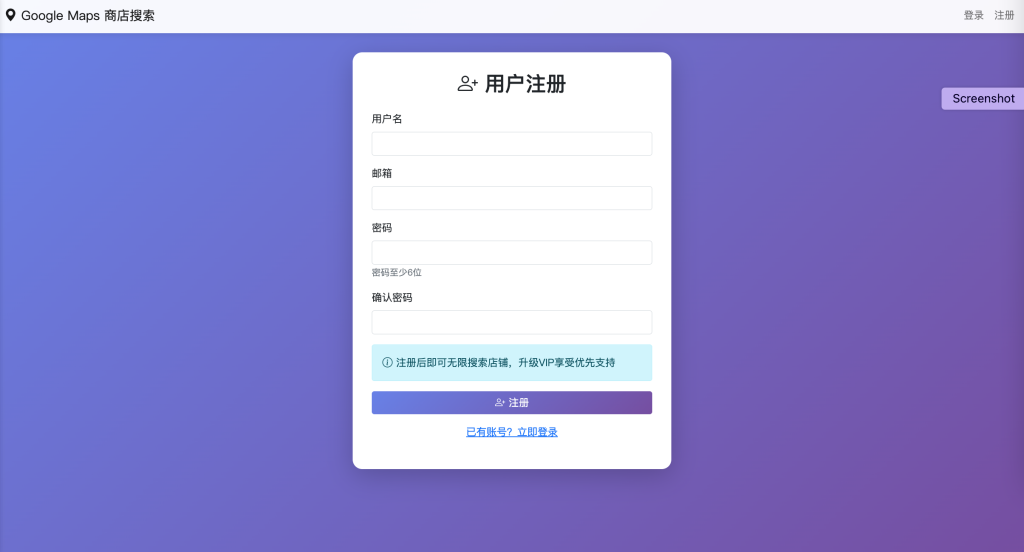
- 支持手机号 / 邮箱双渠道注册,完成实名认证(可选)后即可创建账户,登录采用密码 + 验证码双重验证,保障账户安全;
- 账户中心可管理个人信息(昵称、联系方式)、修改登录密码、绑定安全手机 / 邮箱,支持密码找回功能;
- 未登录用户仅可体验 “基础搜索预览”(如仅显示商家名称、简略地址),核心信息(电话、邮箱、坐标)和导出功能受限。
2. VIP 会员权限体系
- VIP 用户解锁全部功能:无次数限制的商家搜索、完整商家信息查看、多格式导出、搜索历史永久保存;
- 会员权益区分(可选):支持按周期(月 / 季 / 年)开通,不同档位可叠加 “批量搜索”“高级筛选” 等增值功能;
- 权限管控:系统自动识别用户身份,非 VIP 用户触发超限搜索 / 完整信息查看时,弹窗提示会员开通引导,保障权限边界清晰。
二、核心商家搜索功能
1. 多维度精准检索
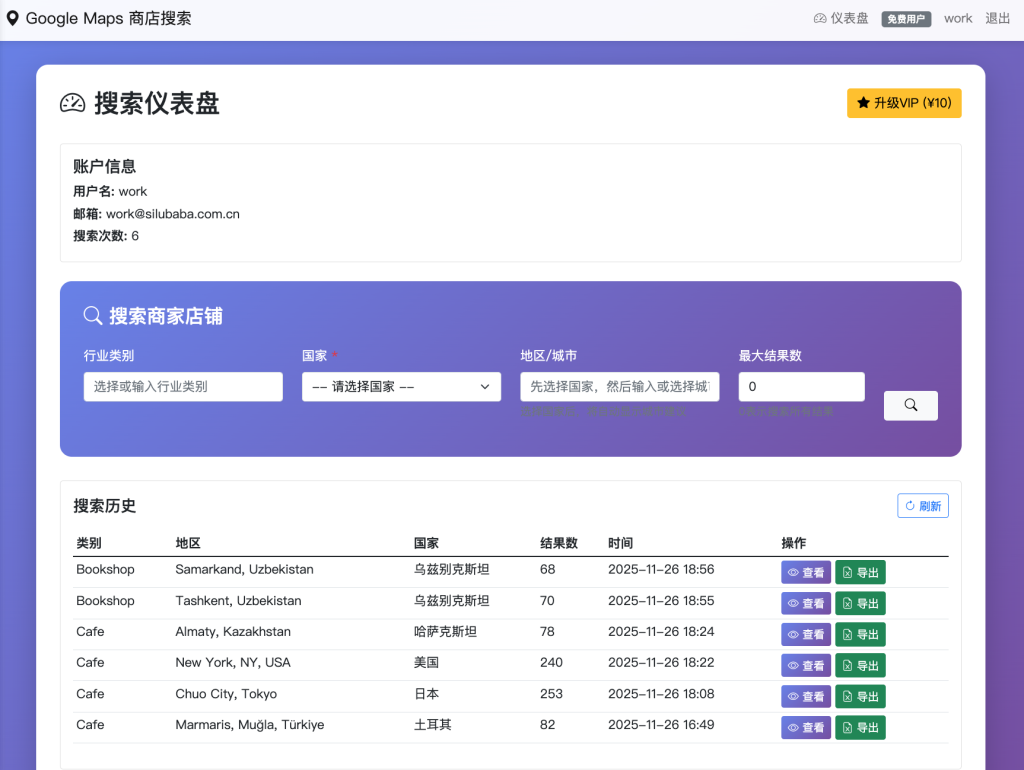
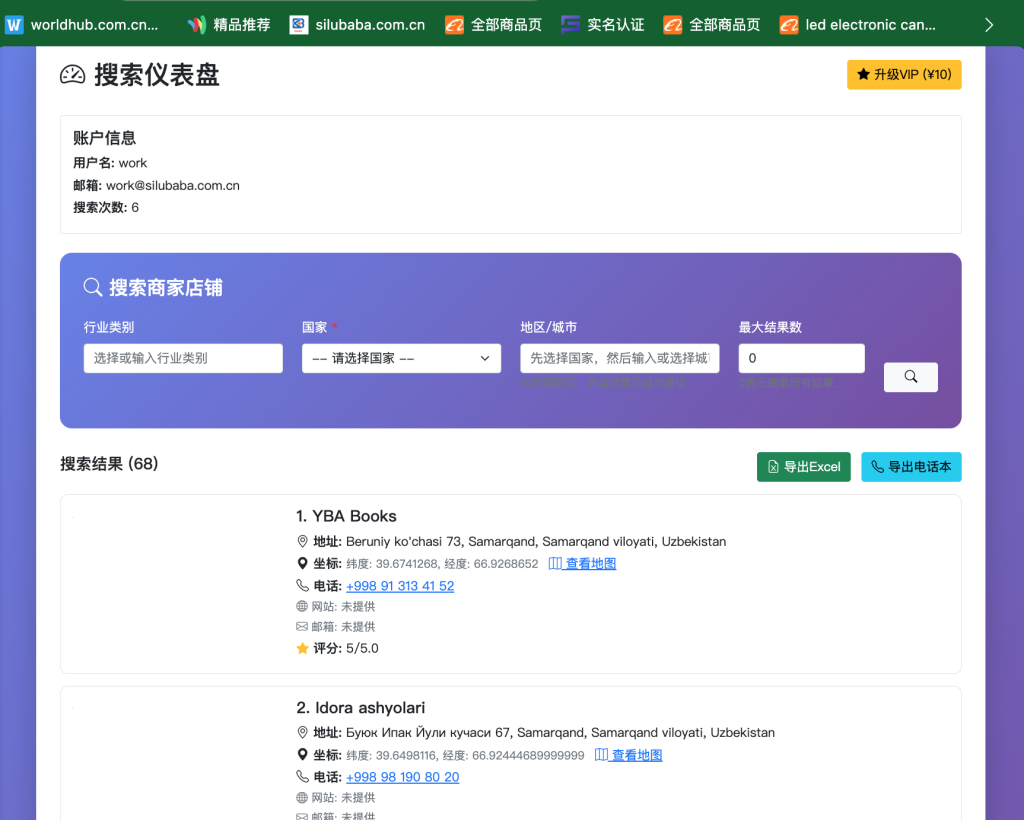
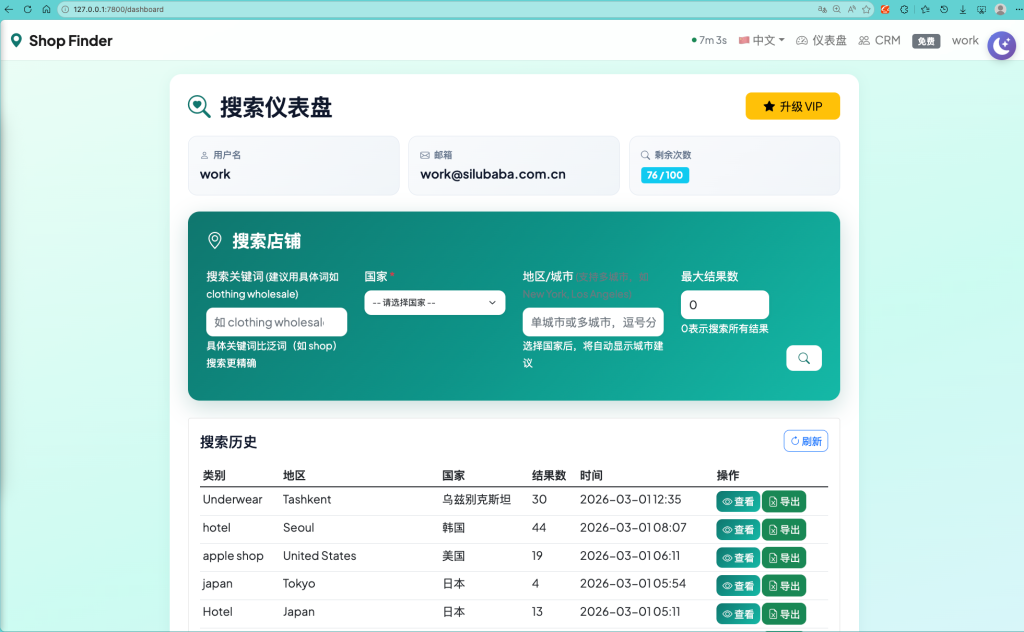
- 基础搜索:支持按 “商家名称 / 行业关键词 + 地区” 组合检索,例如 “咖啡店 纽约”“中餐厅 洛杉矶”;
- 地区自动完成:输入地区名称时,实时联想匹配 Google Maps 官方地区库(如城市、街区、邮编区域),避免输入错误,提升搜索精准度;
- 结果展示:每条商家信息完整呈现核心维度,格式清晰:
- 商店名称:官方注册名称(标注别名 / 曾用名);
- 地址:详细门牌号 + 街道 + 城市 + 邮编 + 国家,支持点击复制;
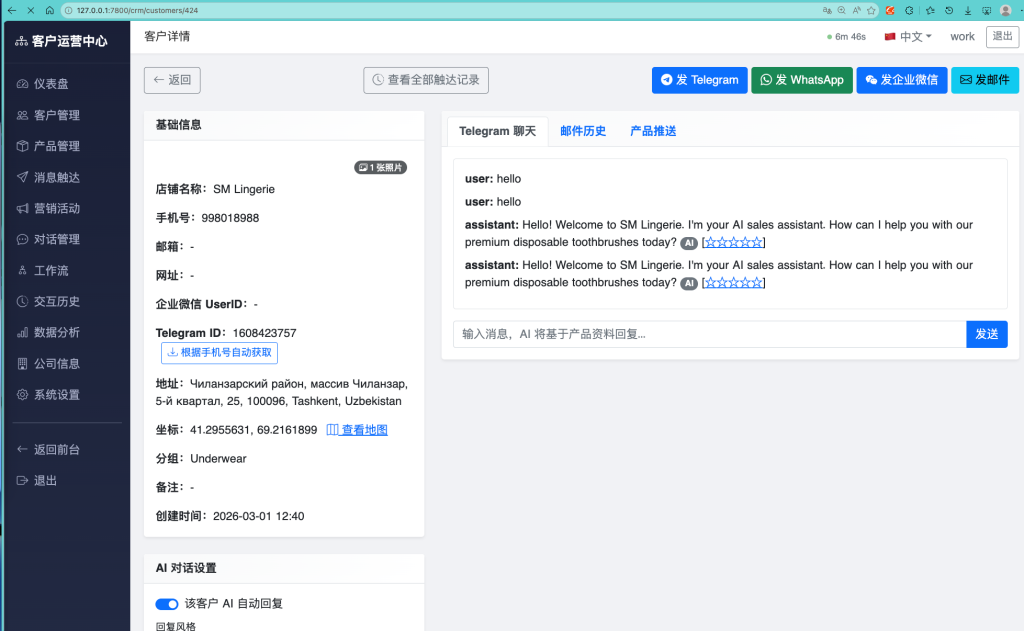
- 坐标:精准纬度 / 经度数值,附带 “查看地图” 按钮,点击跳转 Google Maps 对应坐标定位页面;
- 电话:固定电话 / 手机号(标注是否为营业电话),支持一键复制;
- 网站:商家官方网址(可直接点击跳转);
- 邮箱:公开的商务联系邮箱(标注验证状态)。
2. 搜索筛选与优化
- 支持按 “评分、营业状态、成立时间、商家类型” 等条件二次筛选,缩小检索范围;
- 搜索结果支持按 “相关性、距离、评分” 排序,适配不同检索需求;
- 模糊搜索兼容:输入关键词存在拼写误差时,自动匹配相似商家名称,降低检索遗漏率。
三、数据导出功能
1. Excel 格式导出
- 支持将搜索结果批量导出为标准 Excel 文件(.xlsx/.xls),表格列与商家信息维度一一对应(名称、地址、坐标、电话、网站、邮箱);
- 导出配置:可选择 “导出全部结果” 或 “勾选指定商家导出”,支持自定义表格表头名称,适配不同办公场景;
- 格式优化:坐标字段自动拆分 “纬度”“经度” 列,电话 / 邮箱字段格式标准化,便于后续数据整理、分析。
2. 电话本格式导出
- 适配手机 / 通讯软件通讯录导入需求,导出为 vCard(.vcf)格式电话本文件;
- 导出内容:商家名称作为 “联系人名称”,电话自动填充至 “手机号 / 固定电话” 字段,地址 / 邮箱 / 网站备注至 “备注” 栏;
- 批量导入:导出的电话本文件可直接导入手机通讯录、Outlook 等工具,方便快速联系商家。
四、搜索历史记录功能
1. 记录溯源与管理
- 自动保存用户所有搜索行为:包括搜索关键词、检索时间、结果数量、是否导出等信息;
- 历史记录展示:按时间倒序排列,支持按 “关键词、时间范围” 检索历史记录,快速找回过往查询结果;
- 操作功能:可删除单条 / 批量删除历史记录,VIP 用户支持历史记录导出(Excel 格式),非 VIP 用户仅保存最近 30 条记录。
2. 结果复用
- 点击历史记录中的搜索条目,可一键重新执行该检索,无需重复输入关键词,提升操作效率;
- 对历史搜索结果的导出状态标记,避免重复导出相同数据。
五、交互与体验优化
- 响应式设计:适配电脑、平板、手机等多终端访问,操作界面自适应屏幕尺寸;
- 加载反馈:搜索 / 导出过程中显示进度条 + 提示语,避免用户等待无感知;
- 信息验证:对获取的商家电话 / 邮箱 / 网站进行基础有效性校验,标注 “未验证 / 已验证”,提升信息可信度;
- 帮助中心:内置功能使用教程、常见问题解答,支持在线反馈功能,及时响应用户问题。
该应用通过整合 Google Maps 商家数据检索、用户权限管控、多格式数据导出、操作溯源等能力,解决了手动查询商家信息效率低、信息维度不全、数据整理繁琐等问题,适用于市场调研、商务拓客、本地生活服务查询等多种场景。
Google Maps Store Search Web Version – Feature Details
This Flask-based web application is a Google Maps business information retrieval tool designed for individual and enterprise users. Centered on “accurately acquiring comprehensive business information,” it integrates user permission management, multi-format export, operation traceability, and other practical capabilities to meet business information query needs across various scenarios.
I. User Account Management System
1. Basic Account Functions (Registration/Login)
- Supports dual-channel registration via mobile phone number/email. Users can create an account after completing optional real-name authentication. Login employs password + verification code two-factor authentication to ensure account security.
- The account center allows management of personal information (nickname, contact details), modification of login passwords, binding of secure mobile phones/emails, and includes a password recovery feature.
- Unauthenticated users can only access “basic search previews” (e.g., displaying only business names and abbreviated addresses). Core information (phone numbers, emails, coordinates) and export functions are restricted.
2. VIP Membership Permission System
- VIP users unlock full functionality: unlimited business searches, access to complete business information, multi-format exports, and permanent storage of search history.
- Tiered membership benefits (optional): Supports monthly/quarterly/annual subscription plans. Different tiers can include value-added features such as “batch search” and “advanced filtering.”
- Permission control: The system automatically identifies user identities. When non-VIP users exceed search limits or attempt to access complete information, a pop-up prompts them to activate a membership, ensuring clear permission boundaries.
II. Core Business Search Functionality
1. Multi-Dimensional Precise Retrieval
- Basic search: Supports combined searches by “business name/industry keyword + region,” e.g., “coffee shop New York” or “Chinese restaurant Los Angeles.”
- Region auto-completion: When entering a region name, real-time suggestions match Google Maps’ official region database (cities, neighborhoods, postal code areas) to avoid input errors and improve search accuracy.
- Result display: Each business entry presents comprehensive core information in a clear format:
- Business Name: Official registered name (with aliases/previous names noted).
- Address: Detailed house number + street + city + postal code + country, with one-click copy functionality.
- Coordinates: Precise latitude/longitude values, accompanied by a “View on Map” button that redirects to the corresponding location on Google Maps.
- Phone Number: Landline/mobile number (marked as business line if applicable), with one-click copy.
- Website: Official business URL (directly clickable for redirection).
- Email: Public business contact email (with verification status indicated).
2. Search Filtering and Optimization
- Supports secondary filtering by criteria such as “rating, business status, establishment date, and business type” to narrow search ranges.
- Search results can be sorted by “relevance, distance, or rating” to adapt to different query needs.
- Fuzzy search compatibility: Automatically matches similar business names when keyword typos occur, reducing the risk of missing relevant results.
III. Data Export Functions
1. Excel Format Export
- Supports batch export of search results to standard Excel files (.xlsx/.xls), with spreadsheet columns corresponding to business information dimensions (name, address, coordinates, phone number, website, email).
- Export configuration: Allows selection of “export all results” or “export selected businesses,” and supports custom spreadsheet header names to adapt to different office scenarios.
- Format optimization: Coordinate fields are automatically split into “latitude” and “longitude” columns. Phone numbers/emails are standardized for easy subsequent data organization and analysis.
2. Phonebook Format Export
- Adapts to mobile/communication software contact import needs, exporting to vCard (.vcf) format.
- Export content: Business name as “contact name,” phone number auto-filled in “mobile/landline” fields, and address/email/website included in the “notes” section.
- Batch import: Exported phonebook files can be directly imported into mobile contacts, Outlook, and other tools for quick business communication.
IV. Search History Function
1. Record Traceability and Management
- Automatically saves all user search activities, including keywords, search time, result count, and export status.
- History display: Sorted in reverse chronological order, with support for searching history by “keyword or time range” to quickly retrieve past results.
- Operation features: Allows deletion of single/multiple history entries. VIP users can export search history (Excel format), while non-VIP users only retain the latest 30 records.
2. Result Reuse
- Clicking on a historical search entry re-executes the query with one click, eliminating the need to re-enter keywords and improving operational efficiency.
- Marks the export status of historical search results to avoid duplicate exports of the same data.
V. Interaction and Experience Optimization
- Responsive design: Adapts to access from computers, tablets, mobile phones, and other devices with an interface that auto-adjusts to screen sizes.
- Loading feedback: Displays progress bars + prompts during search/export processes to keep users informed during waiting periods.
- Information verification: Performs basic validity checks on business phone numbers/emails/websites, marking them as “unverified/verified” to enhance information credibility.
- Help center: Built-in function tutorials, FAQs, and online feedback to promptly address user inquiries.
By integrating Google Maps business data retrieval, user permission control, multi-format data export, and operation traceability, this application solves problems such as low efficiency in manual business information queries, incomplete data dimensions, and cumbersome data organization. It is suitable for market research, business development, local lifestyle service searches, and other scenarios.