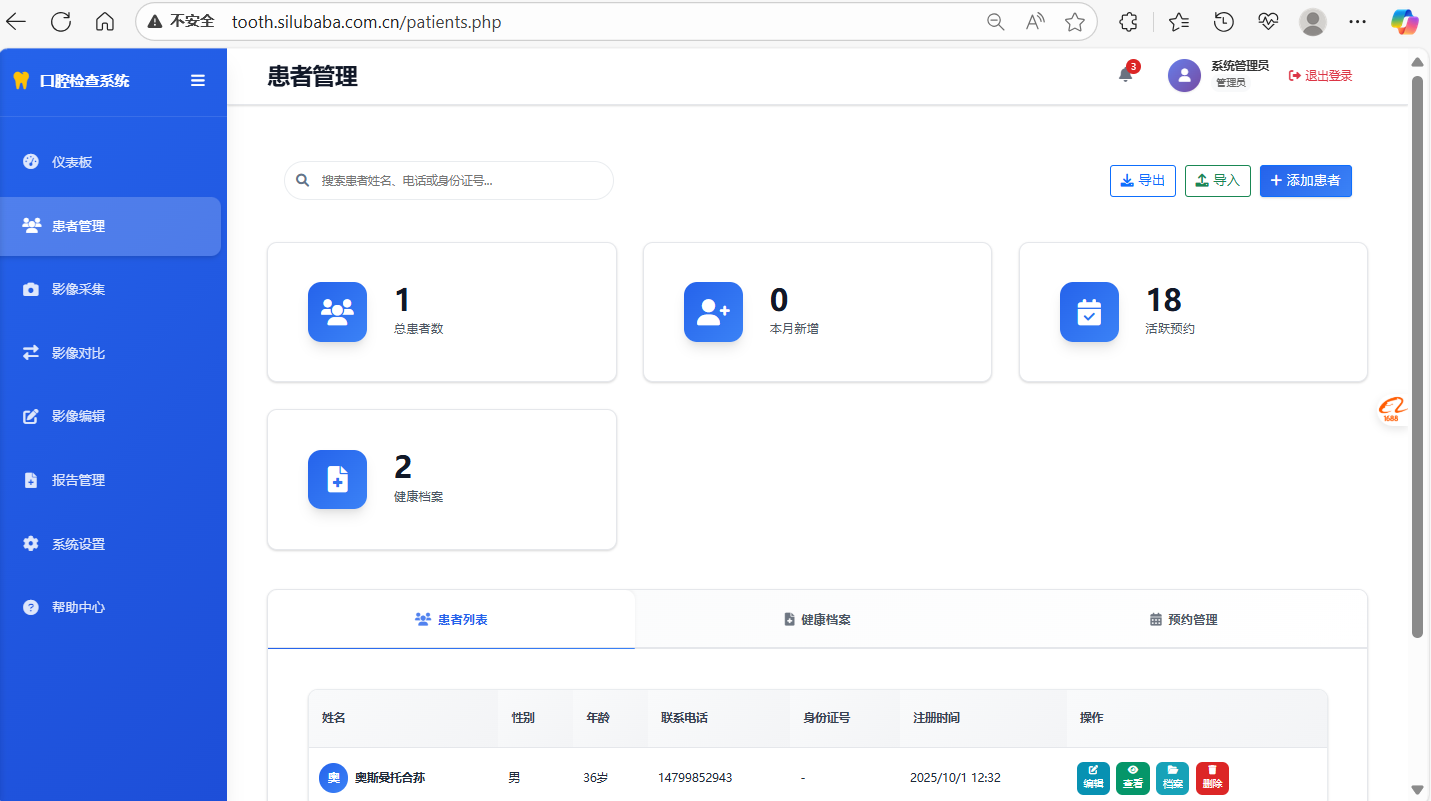
In the field of oral diagnosis and treatment in Tianshan District, Urumqi City, accurate and efficient examination reports are the key to improving patient trust and optimizing the diagnosis and treatment process. Today, the oral examination report generation software tailored for oral hygiene is officially launched! It not only covers the needs of the whole process of dental diagnosis and treatment, but also completely solves the pain points of information management chaos, inefficient image processing, and cumbersome report generation in traditional diagnosis and treatment with top-notch technical architecture and rich practical functions, helping your health center seize the industry service highland!
1. Full coverage of core functions, “one-click smoothness” in the diagnosis and treatment process
We are well aware of the daily operation needs of dental hygiene centers, and the core functions of the software have been polished for many rounds, and now all of them have been improved, each of which directly hits the pain points of diagnosis and treatment:
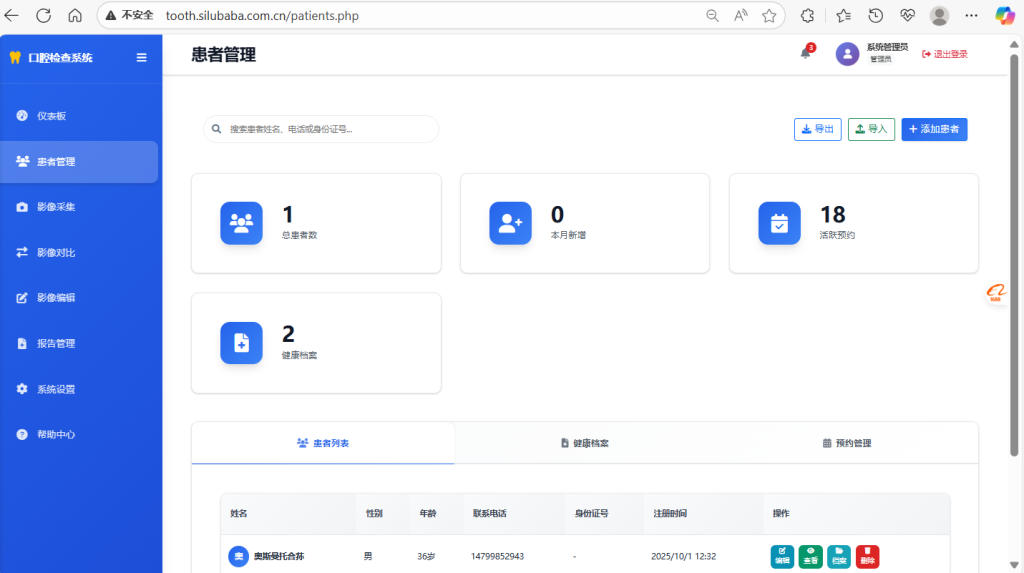
- Patient management: precise control of the whole life cycle
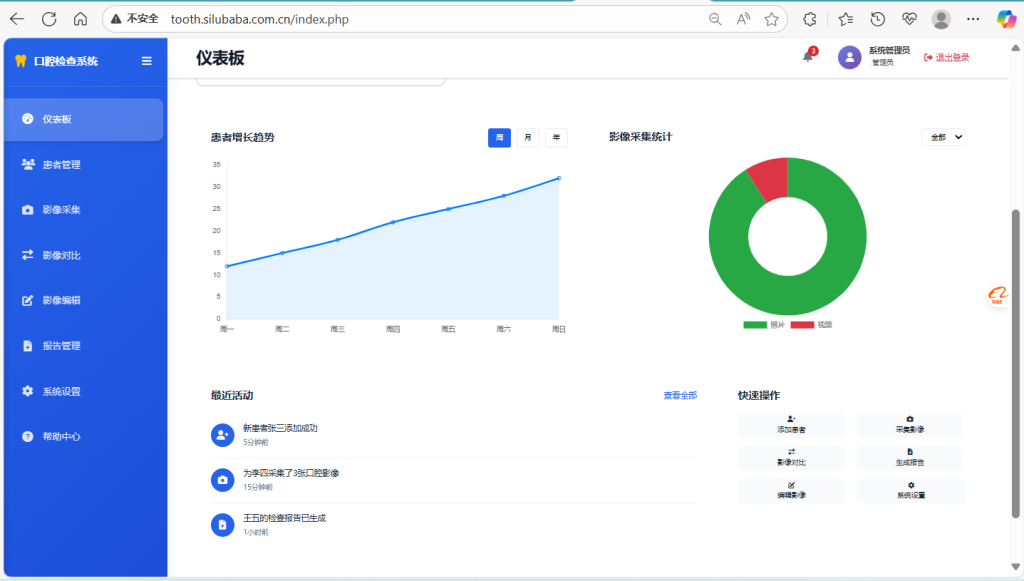
From the entry of the patient’s initial diagnosis information, to the update of subsequent diagnosis and treatment records, and follow-up tracking, the complete management of “one person, one file” is realized. It supports quick search, convenient editing, and no longer needs to manually flip through heavy medical records, increasing the efficiency of patient information query by 80%, allowing the front desk and medical staff to say goodbye to information confusion.
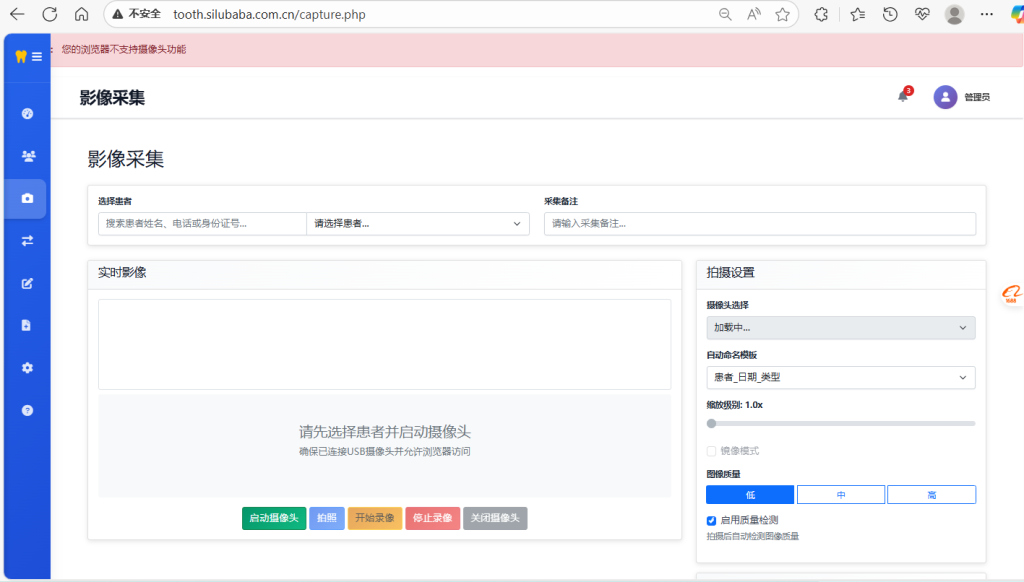
- Image acquisition: multi-channel acquisition, real-time processing without delay
Whether it’s taking oral images live via a USB camera, directly calling up a device to record, or uploading an external image file, the software can efficiently process it in real time. With WebRTC technology, the image image is clear and stable, providing accurate visual support for subsequent diagnosis and avoiding the risk of misdiagnosis caused by blurred images.
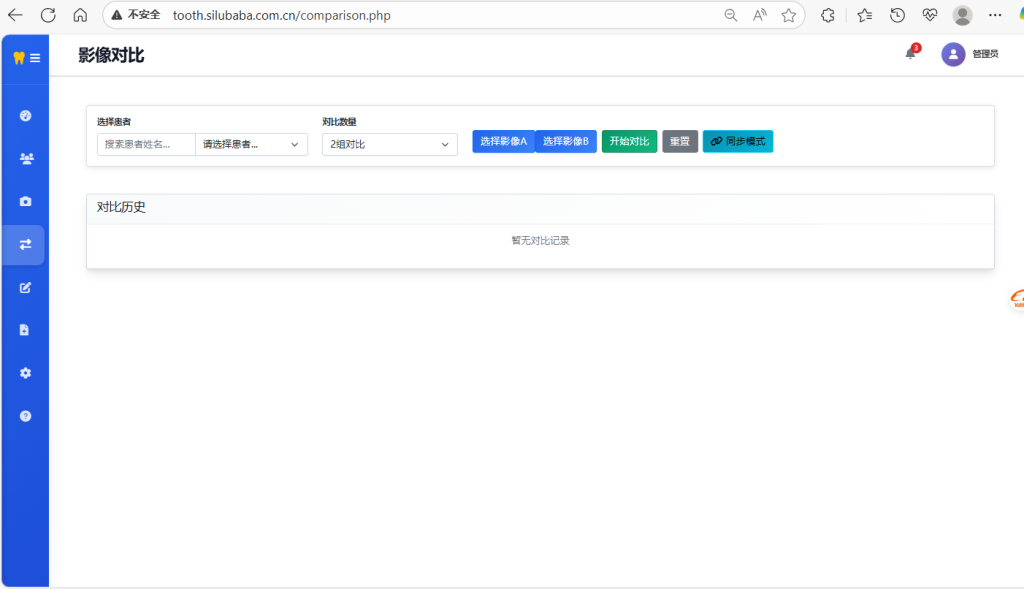
- Image comparison: professional analysis, more intuitive condition tracking
Innovatively launched three modes: side-by-side comparison, superimposed comparison, and slider comparison, with professional measurement tools, which can clearly present the changes in the patient’s condition before and after treatment. Compared with the automatic storage and management of history, patients only need to retrieve records during follow-up visits, which can allow patients to intuitively see the treatment effect and greatly improve the patient’s recognition of the diagnosis and treatment plan.
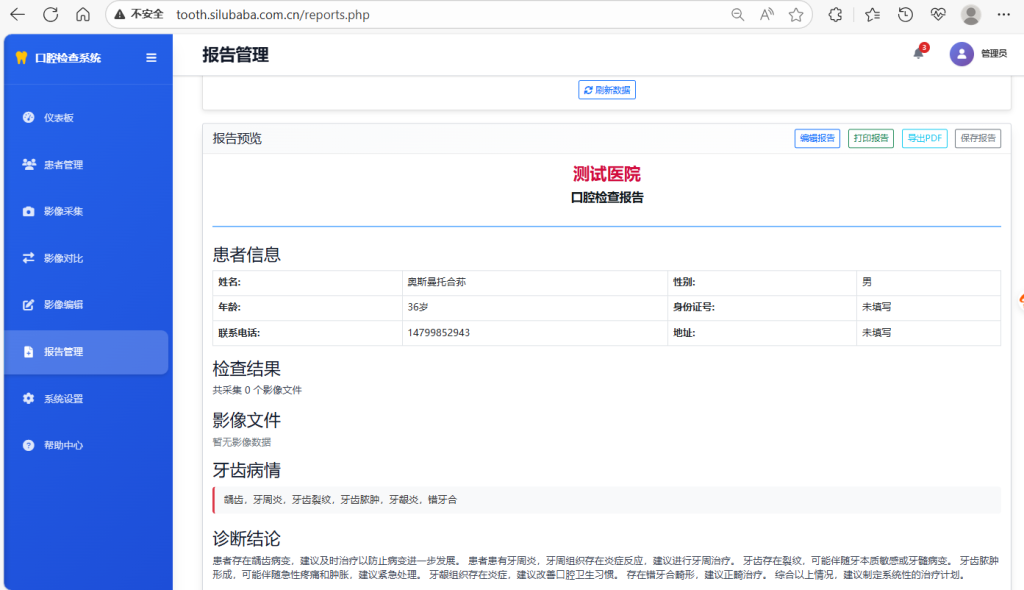
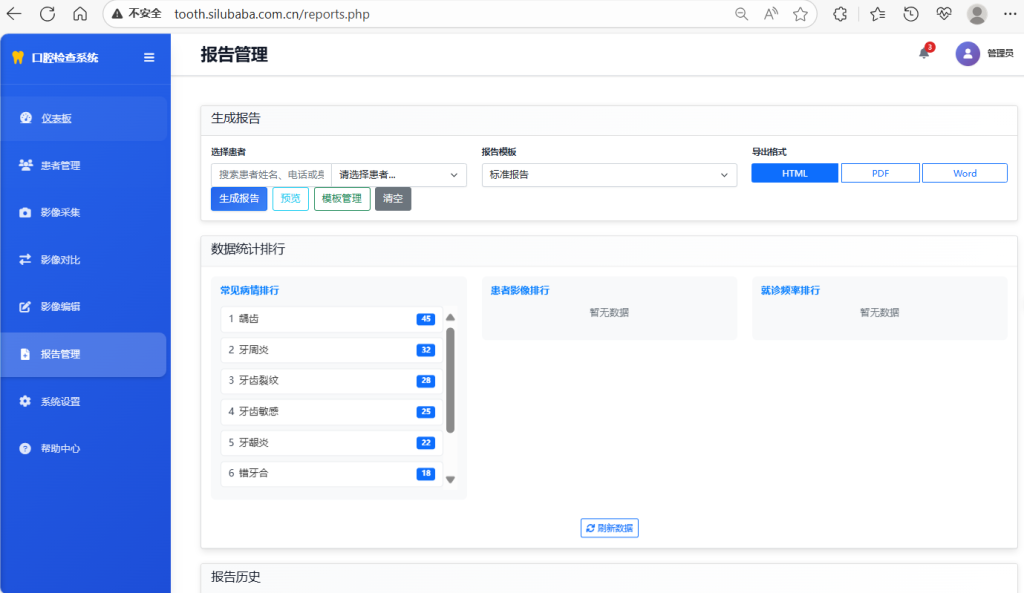
- Reporting system: automatic generation + flexible editing, professional reports “out in seconds”
No need for manual typesetting and writing, select the corresponding patient to automatically generate a standardized medical report. Support doctors to flexibly edit diagnostic conclusions and treatment suggestions, and the report format is standardized and beautiful, in line with medical industry standards. At the same time, it supports direct printing or exporting in PDF format, which is convenient for patient retention and referral and use, and enhances the professional image of the health center.
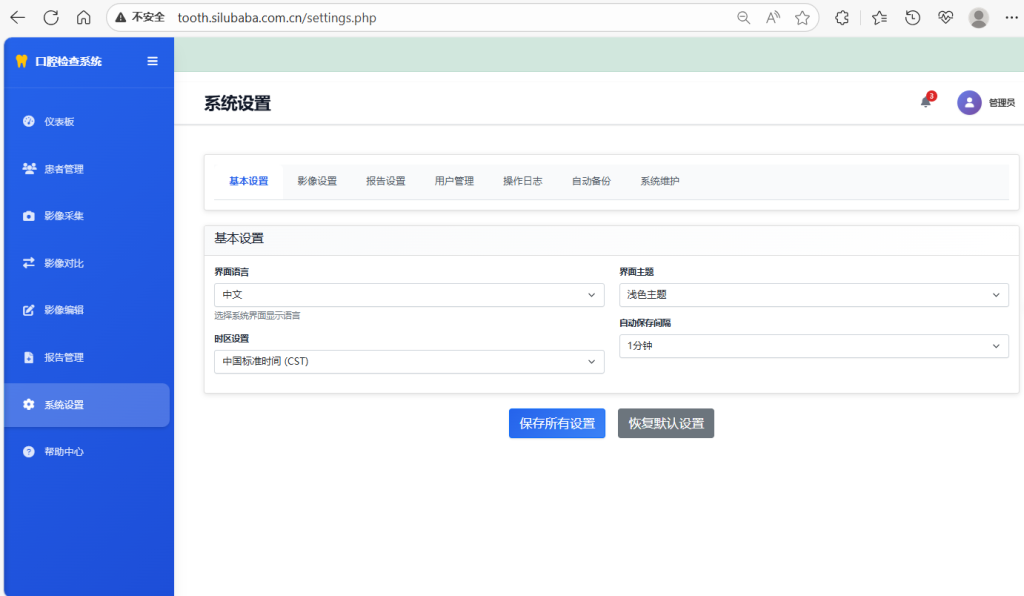
- System settings: Personalized configuration to suit your exclusive needs
The basic information and report template format of the health center can be freely configured, and the image quality, storage parameters, and even the system language and theme can be adjusted according to the diagnosis and treatment needs. Software is no longer a “one-size-fits-all” generic model, but a “customized tool” that truly fits your health care practice.
What’s more noteworthy is that we have added two new useful functions to further upgrade the user experience:
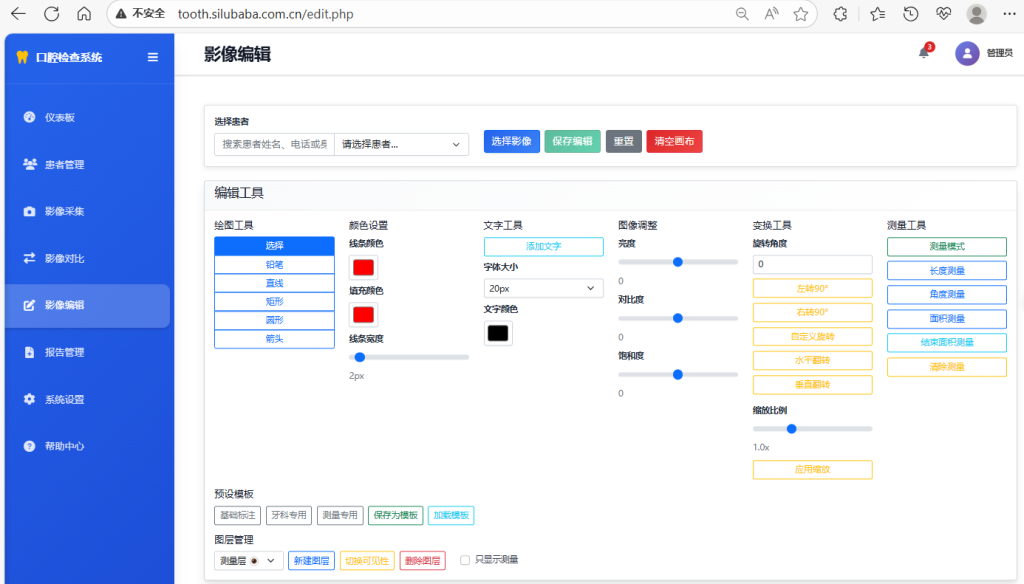
- Image editing: professional tools are in hand, and the lesion labeling is more accurate
A professional drawing tool based on Fabric.js, which supports pencil hand-drawing, shape annotation, arrow guidance, and can also add text descriptions and adjust annotation colors. At the same time, it can flexibly adjust the brightness, contrast, and saturation of the image, rotate and flip the image, easily circle the location of the lesion, and make the diagnosis communication clearer.
- Local upload: batch processing, efficiency upgrade
Support batch upload of up to 4 local photos at the same time, preview files in real time during the upload process, automatically verify the format, and display the intelligent upload progress to avoid file loss or format errors. Even if individual error files appear in batch uploads, “error isolation” can be achieved without affecting the overall upload progress and greatly saving image import time.
2. Technical architecture upgrade, “double guarantee” of safety and performance
The software takes “stability, security, and efficiency” as the core R&D concept, and achieves comprehensive breakthroughs in technical architecture:
- Front-end: Responsive design, suitable for multi-device use
The HTML5 Canvas + Fabric.js technology combination is used to ensure smooth and lag-free image editing and comparison operations. Paired with Bootstrap 5’s responsive design, it delivers a clear and beautiful interface on both desktops and tablets, allowing healthcare professionals to work from anywhere. At the same time, it is developed based on modern JavaScript ES6 +, making it easier to update and iterate functions, and can easily expand new functions in the future.
- Backend: Optimized configuration for more efficient data processing
Adopt RESTful API design, interface calls are stable and fast; PDO database connection optimization ensures secure storage of patient information, imaging data, and report records, and increases reading speed by 50%. In addition, multiple security processing mechanisms are set up for file uploads to prevent malicious document intrusion from the source and ensure the data security of the health center.
- Safety and performance: all-round protection, no worries about diagnosis and treatment
Strictly implement the data verification process to effectively prevent SQL injection risks. Double restrictions on the type and size of uploaded files to avoid wasting storage space and potential security risks. At the same time, a caching mechanism is introduced to optimize the software operation performance, maintaining a smooth experience even if multiple users operate at the same time. More importantly, the software strictly abides by medical data privacy protection specifications, encrypts and stores patient information to eliminate the risk of information leakage.
3. There is no threshold for quick start-up, and novices can also be “mastered in seconds”
We understand that medical staff are busy with their daily work, so we have specially created a simplified operation process with clear user guides, no need for professional IT knowledge, and you will get started:
- Patient management: 3 steps to complete information entry
Visit the patient management page→ click “Add Patient” to fill in the basic information→ and after saving, you can search and edit it at any time.
- Image acquisition: two methods, optional as needed
Select the corresponding patient → activate the camera to take photos/videos on the spot, or click “Upload” to select local photos to complete the image acquisition within 10 seconds without complicated settings.
- Image editing: drag and drop operation for easy annotation
Select the image that needs to be edited→ select the drawing tool in the editor, adjust the image parameters→ and automatically synchronize it to the patient file after saving, and visualize the whole process, accurate and efficient.
- Image comparison: 2-step follow-up
Check the two images that need to be compared → select the contrast mode (side-by-side/overlay/slider) to visualize the differences, and use the measurement tool to quantify the changes in the condition.
- Report Generation: Automatically generate + simple editing, and produce reports in 3 minutes
Select the patient → click “Generate Report”, and the software will automatically fill in the basic information and images→ and the doctor will supplement the diagnosis conclusion and treatment suggestions→ and you can print or export the PDF, completely saying goodbye to the inefficient mode of “writing a report in half a day”.
- System settings: personalized configuration, one setting takes effect for a long time
Enter the system settings page→ adjust the hospital information, report format, image parameters, etc. according to the needs of the health center→ which will take effect immediately after saving, and there is no need to adjust it repeatedly in the future.
Fourth, strong adaptability, “zero obstacles” to deployment and use
Regardless of the size of your health center, the software is perfectly adapted and has a very low barrier to deployment and use:
- Server requirements: Regular configuration can be met
With PHP 8.3+, MySQL 8.0+ environments, Apache or Nginx web servers, 2GB RAM (recommended), and 10GB storage, most existing servers can be deployed directly without additional hardware investment.
- Client requirements: common browsers + basic devices, easy to use
Support Chrome 90+, Firefox 88+ and other mainstream browsers, enable JavaScript function to run; Pair it with a regular USB camera (recommended) for high-quality image capture. As long as the network connection is stable, whether it is a clinic computer or a doctor’s office computer, the software can be used at any time.
5. Choosing us is choosing “professional and worry-free”
In Tianshan District, Urumqi City, a number of dental health clinics have improved diagnosis and treatment efficiency and service quality upgrades through this software. We not only provide powerful software products, but also promise:
- Localization Service: Quick response and timely resolution of issues
For customers in Tianshan District, we have established an exclusive service team to follow up the whole process of software deployment and use training, and any problems in the follow-up can be achieved “response within 24 hours and solution within 48 hours”, so that you have no worries.
- Continuous upgrading: keep up with industry needs and continuously optimize functions
We regularly collect new needs and technologies in the dental diagnosis and treatment industry, iterate the functions and optimize the performance of the software, and ensure that you are always using the industry’s cutting-edge diagnosis and treatment aids.
Now is the perfect time to improve your oral hygiene competitiveness! Choose this oral examination report generation software to make the diagnosis and treatment process more efficient, the diagnosis more accurate, and the patient more satisfied.
The dental examination management system has been fully upgraded to meet all professional medical needs
Core features at a glance
Patient management
Complete patient information lifecycle management Improved
Image acquisition
Multi-channel image acquisition and real-time processing Improved
Image comparison
Professional comparative analysis and condition tracking Improved
Video editing
Professional drawing and annotation tools What’s new
Reporting system
Automatically generate and print medical reports Improved
System Settings
Comprehensive system configuration management Improved
Local upload
Upload local photo files in bulk What’s new
Print export
Professional report printing and PDF export Improved
Latest feature highlights
Professional image editor
- Professional drawing tools based on Fabric.js
- Drawing elements such as pencils, shapes, arrows, etc. are supported
- Text annotation and color adjustment functions
- Image brightness, contrast, saturation adjustment
- Rotation, flipping and other transformation operations
Upload local photos in bulk
- Support up to 4 photos at the same time
- Real-time preview and file validation
- Intelligent upload progress display
- Batch processing and error isolation
Smart image comparison
- Side-by-side comparison, overlay comparison, slider comparison
- Measurement tools and analysis capabilities
- Compare history preservation and management
Technical architecture upgrade
Front-end technology stack
- HTML5 Canvas + Fabric.js
- Bootstrap 5 responsive design
- WebRTC camera capture
- Modern JavaScript ES6+
Backend optimization
- RESTful API design
- PDO database connection optimization
- File upload is handled securely
- Perfect error handling mechanism
Safety and performance
- Data validation and SQL injection protection
- File type and size limits
- Caching mechanism and performance optimization
- Patient data privacy protection
Quick Usage Guide
1. Patient management
- Visit the patient management page
- Click “Add Patient” to enter the information
- Support search and editing functions
2. Image acquisition
- Select the patient and start the camera
- Take photos or videos to capture images
- Or upload local photos directly
3. Image editing
- Select the image to enter the editor
- Use the drawing tool to add dimensions
- Adjust the image parameters and save
4. Image comparison
- Select two images to compare
- Select Contrast Mode (Side-by-Side/Overlay)
- Analyze the differences using measurement tools
5. Report generation
- Select Patient generation report
- Edit diagnostic conclusions and recommendations
- Print or export PDF reports
6. System Settings
- Configure hospital information and report formats
- Set image quality and storage parameters
- Adjust the system language and theme
System requirements and deployment
Server requirements
- PHP 8.3+
- MySQL 8.0+
- Web Server (Apache/Nginx)
- 2GB RAM recommended
- 10GB storage
Client requirements
- Chrome 90+ / Firefox 88+
- USB Camera (Recommended)
- JavaScript enabled
- Stable network connection
Based on PHP + MySQL + Bootstrap + Fabric.js development to provide professional solutions
for the medical industry
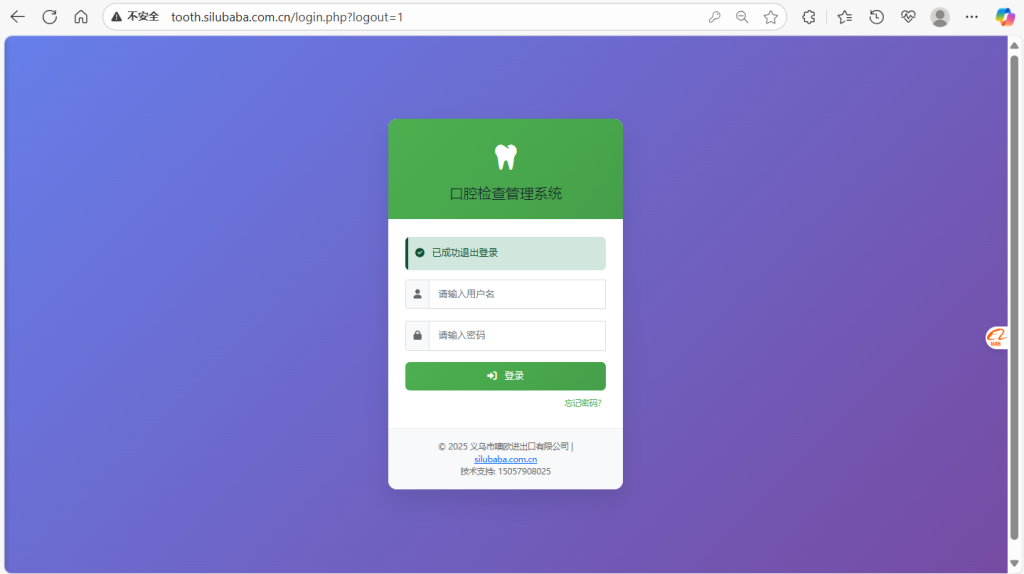
Contact us now to get exclusive demo quotas and preferential plans for customers in Tianshan District!
Consultation hotline: 086-15057908025
Let us work together to provide better oral diagnosis and treatment services for residents in Urumqi Tianshan District, and jointly create a regional dental diagnosis and treatment benchmark!